Homepage ›› Companies ›› Robolink Teknoloji Elektronik Medical Mühendislik İnş. Consult. Software Industry. and Tic. LLC. ›› Makeblock 4 Button Card

Robolink Teknoloji Elektronik Medical Mühendislik İnş. Consult. Software Industry. and Tic. LLC.

Adres: 100. YIL BULVARI 55E 45

Tel 1: 0 (312) 385 22-26

Tel 2: 0 (312) 530 24-120 () -45

Faks:

Email 1: info@robolinkmarket.com

Email 2: sefa.soysal@robolinkmarket.com

Web: https://www.robolinkmarket.com/

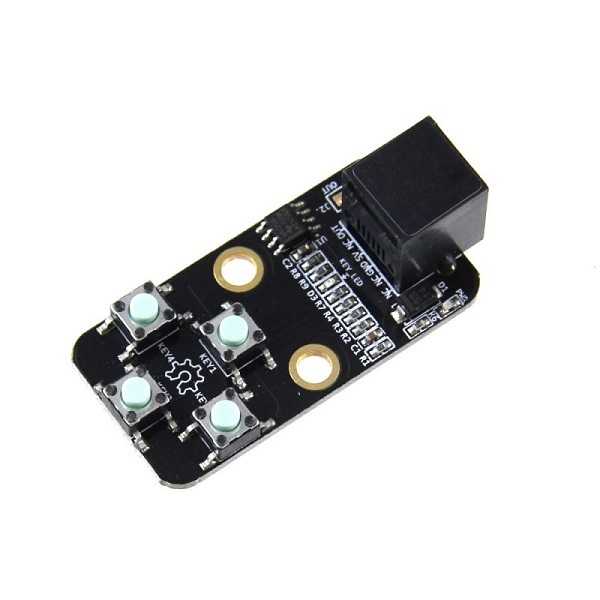
Makeblock 4 Button Card

Makeblock 4 Button Card

With the Me 4 Button module produced by Makeblock, it is an easy-to-use button module that you can assign tasks to your projects or control your robots.
Me 4 Button module is an analog working module. When each button is pressed, you will get different values between 0-1023 from the OUT pin.
With its 6P6C RJ25 connector, it is fully compatible with Me BaseBoard, Me BaseShield and MakeBlock Orion.
With 3 pins (VCC-GND-OUT) on the right of the RJ25 connector, you can easily use it on Arduino and other software development platforms.
It must be connected to the PORT-6, PORT-7 or PORT-8 connectors of the MakeBlock Orion board.

Features:

  • Fully compatible with Me BaseBoard, Me BaseSield, MakeBlock Orion cards with RJ25 connector
  • Power and status indicator with LED
  • Compatible with Arduino and other software development platforms
  • 4 Buttons status control with one Analog output
  • Easy wiring with RJ25 connector
  • Operating voltage : 5VDC
  • Size : 24 x 48 x 16 mm

Package Included:

  • 1 x Makeblock Me 4 Button

Arduino Sample Code:

 # include
Me4Button btn(PORT_6);
uint8_t keyPressed = KEY_NULL;
uint8_t keyPressedPrevious = KEY_NULL;
void setup ()
{
serial . begin ( 9600 );
}
void loop ()
{
keyPressedPrevious = keyPressed ;
keyPressed = btn.pressed();
if (keyPressedPrevious != keyPressed )
{
if ( keyPressed == KEY_1)
{
serial . println ( "Button1 Pressed" );
}
if ( keyPressed == KEY_2)
{
serial . println ( "Button1 Pressed" );
}
if ( keyPressed == KEY_3)
{
serial . println ( "Button1 Pressed" );
}
if ( keyPressed == KEY_4)
{
serial . println ( "Button1 Pressed" );
}
if ( keyPressed == KEY_NULL)
{
serial . println ( "Buttons Not Pressed" );
}
}
}

Get Info
Elektrik İletim ve Dağıtım Ekipmanları